Choosing an Online Teaching Platform in 2026: What Actually Matters (and What Doesn’t)
Explore the world of online teaching platforms with our comprehensive guide. Discover the best features, tips for selection, and how SubSchool stands out.
In 2026, “online teaching platform” can mean five totally different things—so people compare apples, oranges, and a Zoom link… then wonder why it didn’t work.
This guide breaks down the platform landscape, the features that actually move the needle for teachers, and a practical way to choose without wasting weeks migrating content later. I’ll also point out where SubSchool fits best (and where it doesn’t).
Understanding Online Teaching Platforms
What Are Online Teaching Platforms?
Online teaching platforms are systems that help you create, deliver, manage, and sell learning experiences. But the market splits into categories:
- Course marketplaces (huge audience, lower control): great reach, but you’re playing by their rules.
- Course storefront builders (you bring traffic): best for creators with an audience.
- Virtual classroom tools (video-first): good for live lessons, weak at course management and sales.
- Learning management systems (LMS) (schools/organizations): powerful, can be heavy and admin-y.
- All-in-one teaching + selling platforms: course builder + homework + payments + student experience in one place.
SubSchool sits in category #5 (and also benefits from marketplace-style discovery if you use it that way).
The Evolution of Digital Education Tools
A few 2026 realities changed what “good platform” means:
- Mobile-first learning is non-negotiable. Students consume lessons on phones and want quick progress loops.
- Hybrid is the default: recorded lessons + live sessions + homework + feedback.
- Proof of learning matters more: assessments, exams, portfolios, ratings, outcomes.
- AI is expected (not as a gimmick): faster homework creation, smarter checks, better feedback workflows.
- Payments + access control is part of the product: if checkout is clunky, your course is “free” (because no one finishes paying).
So the “best platform” is the one that matches your delivery model + your sales model, not the one with the fanciest landing page.
Key Features to Consider
User-Friendly Interface
If building a course feels like assembling IKEA furniture without the manual, you won’t scale. A good interface lets you:
- create a course structure fast (modules → lessons)
- upload video / schedule live sessions without setup drama
- manage students and homework without spreadsheet therapy
Versatility and Customisation
You want flexibility without becoming a part-time web developer.
Look for support for:
- recorded lessons (video + text + resources)
- live lessons (scheduling, joining, reminders)
- homework/assignments (different formats, reusable tasks)
- exams / quizzes / written answers (for “real learning”, not vibes)
Integration Capabilities
Integrations are great… until they become your product.
Prioritize platforms that work well out of the box, and only then check:
- email marketing (optional)
- calendars (nice)
- analytics pixels (helpful)
- CRM/webhooks (advanced)
If you need 12 integrations just to run week 1, that’s a red flag.
Student Experience (This Is Where Money Lives)
Teachers often shop platforms like they’re buying tools for themselves. Students are the ones who decide if it’s “worth it”.
Check:
- mobile usability
- frictionless access after payment
- clear progress tracking
- reminders and structure
- ability to rewatch, redo, resubmit
Assessment & Proof of Results
If your course is exam-prep or skill-based, you need more than “video + comments”.
Strong platforms support:
- incoming assessment (baseline)
- outgoing assessment (results)
- progress tracking
- feedback loops
This is one area where SubSchool can be positioned strongly—especially if you treat exams as a measurable signal (not just a “final quiz no one takes”).
Monetization & Fees
Don’t just compare commission %. Compare what you actually get:
- Who brings students: you or the platform?
- Who owns the customer relationship?
- Can you sell bundles? single lessons? subscriptions?
- Is checkout native or “go pay somewhere else and DM me”?
A “higher commission” platform can be worth it if it brings demand. A “low commission” platform is gold if you already have traffic or want to build a brand.
Popular Online Teaching Platforms
Major Players in the Market
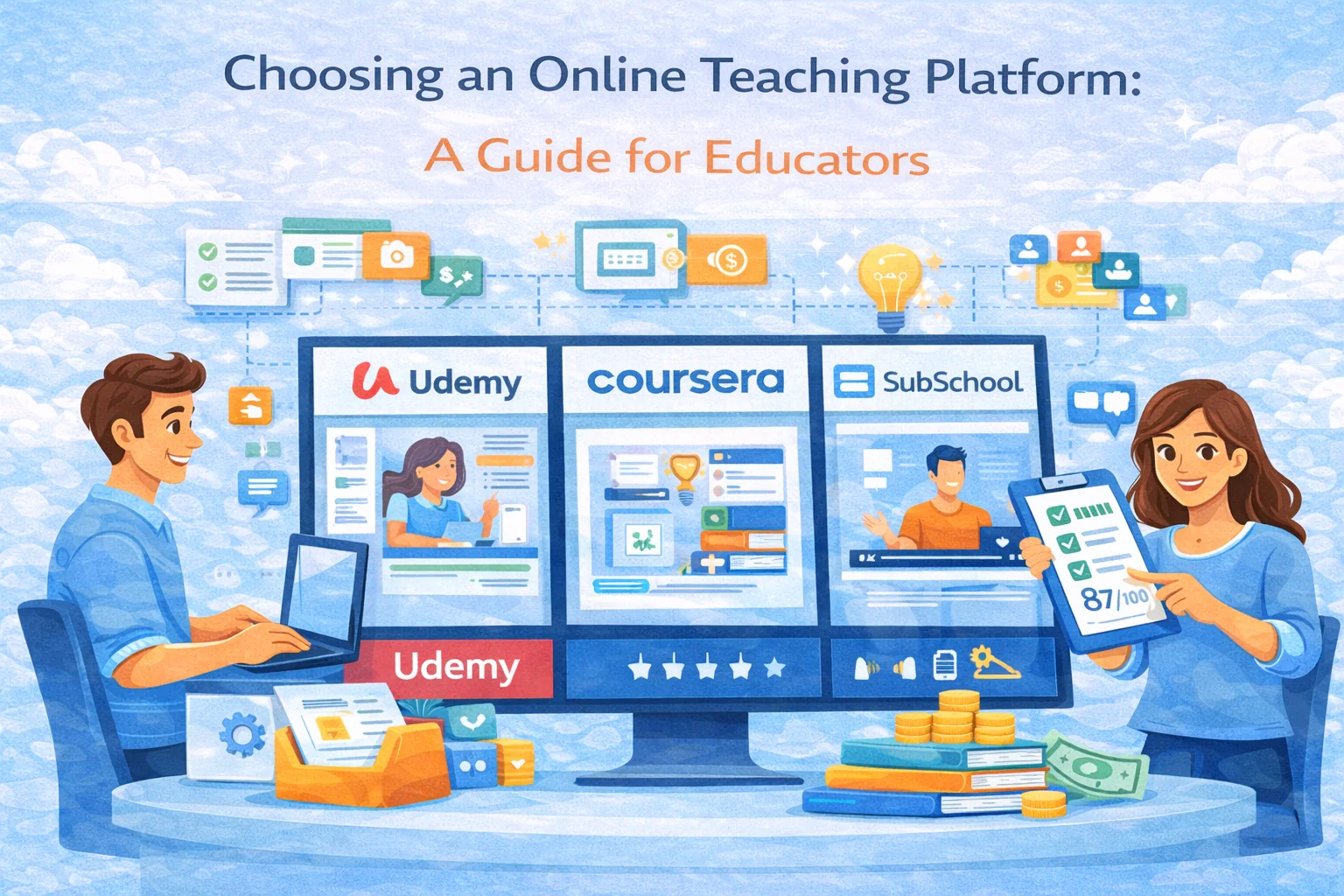
- Udemy / Coursera-style marketplaces: strong distribution, limited control, price pressure.
- Teachable / Thinkific / Kajabi-style storefronts: strong for creators, but you drive acquisition.
- Zoom + Stripe + Notion stack: flexible, but admin-heavy and messy at scale.
- Traditional LMS (Moodle/Canvas/etc.): powerful, heavier setup and less creator-friendly.
Niche Platforms
These can be fantastic if your niche matches their built-in audience (languages, music, coding bootcamps, etc.). The risk: you’re dependent on a narrow ecosystem.
Why SubSchool Stands Out
Here’s the honest positioning where it can win:
Simplified Course Creation
If your goal is “get the course online fast” (without a website and integrations), SubSchool is built for that:
- structured courses (modules/lessons)
- video lessons + optional live sessions
- clean teacher workflow
Homework Management That Doesn’t Kill Your Weekends
The big pain for serious teachers is not “recording video.” It’s homework and feedback.
A platform that helps you:
- reuse exercises
- assign quickly
- track completion
- reduce manual checking time
- …isn’t a “nice feature”, it’s the difference between 5 students and 50.
Low-Commission + Direct Monetization Mindset
If you don’t want a marketplace taking a brutal cut, a low-commission model matters. That gives you room to:
- price sanely
- run promos
- invest in ads
- still keep profit
Selling Flexibility
If your audience needs “try before buying,” the ability to sell single lessons / partial access can increase conversion (especially for parents/students who don’t trust unknown teachers yet).
Making Your Choice
Here’s the decision framework that saves time:
Step 1: Pick Your Teaching Model
- Mostly 1:1 → you need scheduling + notes + payment, course builder is secondary.
- Group live → you need live tools + homework + replays.
- Recorded course → you need fast creation, strong student UX, marketing pages.
- Exam prep / skills → you need assessments, progress signals, and credibility.
Step 2: Pick Your Growth Model
- Marketplace-driven (platform brings students)
- Brand-driven (you bring students)
- Hybrid (you bring some, platform helps some)
Step 3: Run the “60-Minute Trial”
In one hour, the platform should let you:
- create a course skeleton (modules + 3 lessons)
- upload one video / create one live session
- add one homework assignment
- preview as student
- see how payment/access works (even in test mode)
If that hour turns into “contact support to enable the thing”… you already know the future.
Conclusion
The right online teaching platform in 2026 isn’t the one with the biggest name—it’s the one that matches how you teach and how you plan to grow.
If you want an all-in-one path (course creation + homework + delivery + monetization) without needing a personal website or a Frankenstein stack, SubSchool is a strong bet—especially for teachers who care about outcomes, assessment, and scalable workflows.