Automated Checking Of Video Based Answers
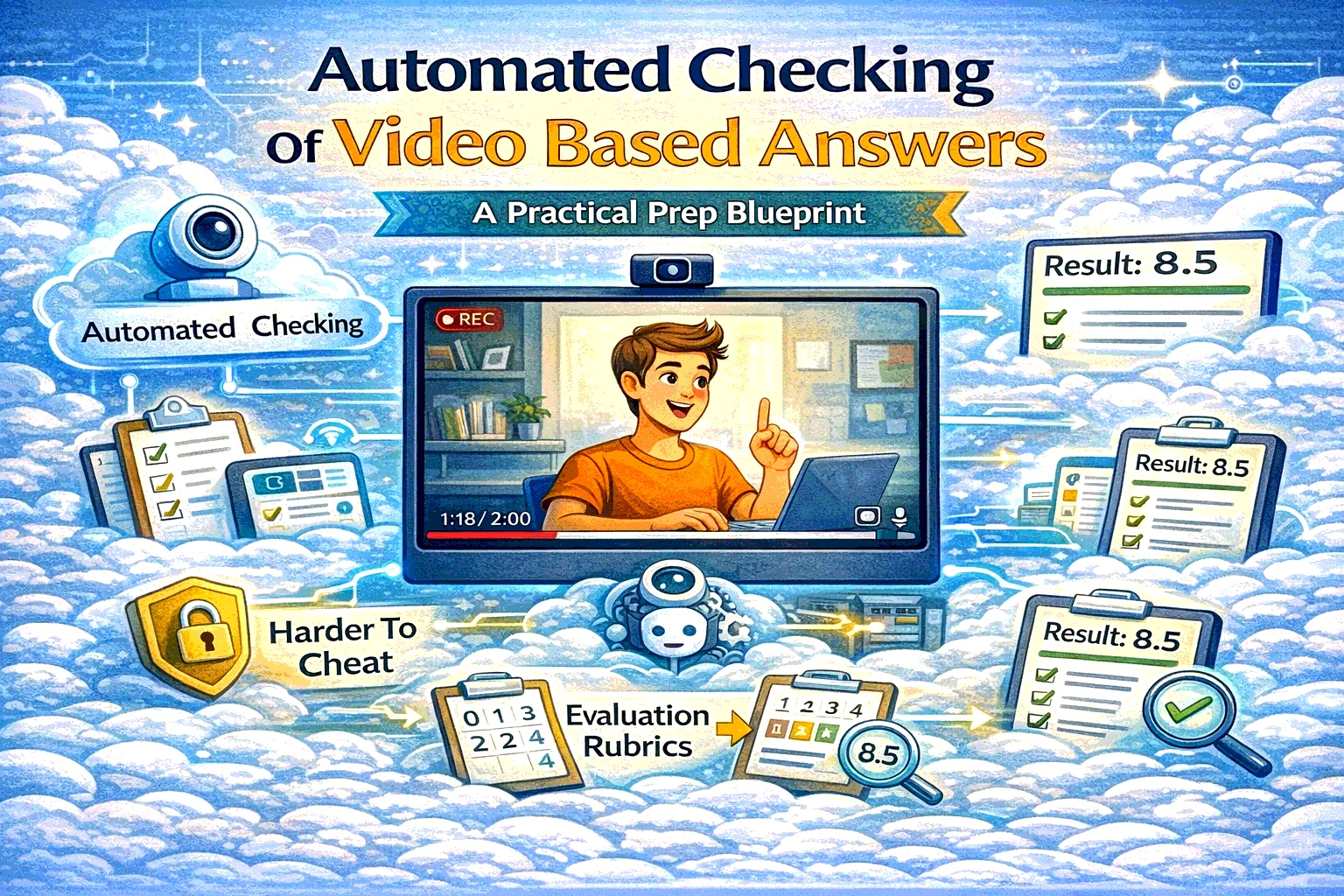
Automated checking of video-based answers lets you assess speaking, reasoning, and “show your thinking” tasks online—faster, more consistently, and with less cheating than traditional quizzes. Here’s when to use it and how it works in SubSchool.
Automated Checking Of Video Based Answers: what it is (in one sentence)
It’s an assessment format where a learner (or candidate) records a video response to a prompt and the system checks it automatically (usually against a rubric), producing a score and feedback—often with optional human review for edge cases.
This is not “watching a video.” It’s turning video into measurable evidence.
Why this format is exploding
Text quizzes are great for recall. They are terrible for evaluating:
- real communication
- reasoning under pressure
- explaining decisions
- soft skills
- “do you actually understand it, or did you memorize it?”
Video answers solve that by forcing the person to perform the skill, not just select A/B/C/D.
The best use cases (where video answers beat classic quizzes)
1) Online oral exams (school / tutors / universities)
Use it when: you want the feeling of a “live exam” without scheduling chaos.
Examples:
- language speaking tests
- literature/history oral exams (“defend your thesis in 60–90 seconds”)
- math/science reasoning (“explain why this step is valid”)
- project defense (“what did you build, what tradeoffs did you make?”)
Why it works:
- students must explain, not just guess
- you get a reusable artifact for review and appeals
- grading becomes consistent with a rubric
2) Harder-to-cheat assessments (compared to pure multiple choice)
Video doesn’t make cheating impossible, but it raises the cost:
- you can require a one-take response
- add tight timing
- use randomized prompts
- ask follow-up “why” questions that are hard to copy-paste
Cheating shifts from “quick Google” to “actually understand enough to talk.”
3) Pre-scoring candidates in hiring (fast screening)
Instead of reading 300 resumes and guessing, you ask:
- “Walk me through how you’d handle X scenario”
- “Explain a project you shipped and what you’d do differently”
- “Role-play: respond to this customer message”
Automated scoring gives you:
- consistent first-pass evaluation
- faster shortlists
- evidence-based decisions (especially when combined with a rubric)
4) Corporate training (skill verification after onboarding)
Perfect for roles like:
- support / customer success (tone + process)
- sales (objections, discovery calls)
- compliance-sensitive roles (explain policy in your own words)
- leadership training (difficult conversation simulations)
Instead of “completed the course,” you get “can actually do the thing.”
5) EduHire (learning + hiring in one flow)
The strongest model is:
- candidate learns the basics (micro-course)
- candidate submits video tasks (like interview questions)
- the system scores and produces a structured report
That’s exactly the “train + evaluate” logic that SubSchool is built to support.
What makes automated checking actually reliable (the rubric)
If you want high-quality automated evaluation, you need a rubric that a stranger can apply.
A good rubric:
- 4–6 criteria max
- 0–4 scale per criterion
- examples of what “good” looks like
- clear fail conditions
- “next step” feedback per criterion
Example rubric (universal):
- Clarity / structure
- Correctness / decision quality
- Evidence / examples
- Communication (tone, empathy if relevant)
- Completeness (answered the question)
How it works in SubSchool
Here’s the exact flow you described, in clean product terms:
- The student opens a lesson/task in SubSchool
- They see the prompt (the “exam question” / scenario / interview task)
- They press Start recording and answer on video
- They submit the recording
- The system checks it automatically (rubric-based)
- The student receives a result (score + feedback), and you can optionally review/override if needed
This is perfect for:
- “live-feeling” exams without live scheduling
- scalable speaking practice with real feedback
- candidate pre-screening in EduHire flows inside SubSchool
Anti-cheating design: practical guardrails
If you want this format to be meaningfully harder to game, use 3–5 of these:
- One-take recording (no uploads, no editing)
- Prompt randomization (question bank)
- Follow-up question (generated from their answer or a second prompt)
- Require reasoning (“Why?” + “What would you do next?”)
- Rubric transparency (so students optimize learning, not loopholes)
- Human review on thresholds (e.g., if score is borderline or high-stakes)
Where it can go wrong (and how to avoid it)
This is the “don’t get sued / don’t ruin trust” section.
Risk 1: Over-automation in high-stakes decisions
For hiring or certification decisions:
- keep humans accountable for final decisions
- allow appeals
- audit scoring drift over time
Risk 2: Bias (especially in hiring)
Avoid scoring based on:
- facial expressions
- accent proxies
- appearance signals
Score what matters:
- structure, correctness, evidence, job-relevant reasoning.
Risk 3: Privacy and minors
If you teach minors, treat video like sensitive data:
- minimize retention
- clear consent
- secure access and deletion policy
Risk 4: Accessibility
Provide alternatives when needed (e.g., text response or different format), and keep the UI accessible.
Quick templates you can copy
1) Prompt templates
Education (reasoning):
“Explain your solution step-by-step. What is the key rule you used, and why does it apply here?”
Hiring (scenario):
“You’re handling X situation. Walk through your first 3 actions and explain why.”
Corporate training:
“Summarize the policy in your own words, then apply it to this scenario.”
2) 0–4 scoring anchor
- 4 = structured, correct, specific example, clear reasoning
- 3 = mostly correct, minor gaps
- 2 = generic, missing key steps
- 1 = confused / incomplete
- 0 = not answered / irrelevant